

AI tools are no longer just for tech experts—they’re for everyone. Whether you’re a student, entrepreneur, content creator, or professional, generative AI is transforming how we work, create, and solve problems. According to a 2025 global study, nearly 7 out of 10 organizations plan to maintain or increase their AI spending, recognizing that the right tools can save time and drive innovation. But with thousands of options available, where do you even begin?
This comprehensive guide from b2blogs.com is designed specifically for beginners like you. We’ve tested, compared, and curated the most intuitive, powerful, and free AI tools across 10+ categories. By the end of this guide, you’ll have a complete starter toolkit to boost your productivity and creativity today.
1️⃣ Why AI Tools Are a Game-Changer for Beginners
Did you know that 58% of professionals report losing more than five hours per week to unproductive tasks like context switching and repetitive work? AI tools are the solution. They serve as your digital co-pilot, handling the heavy lifting so you can focus on strategy and creativity.
Here’s what you can achieve as a beginner with zero coding experience:
- Write a complete blog post, social media caption, or email in seconds.
- Design professional logos, thumbnails, and social graphics without learning Photoshop.
- Create stunning videos and presentations from a single sentence.
- Research any topic with sources cited, like a personal analyst.
- Code simple apps and websites just by describing what you want.
The best part? Many of the tools we cover have powerful free tiers, making it risk-free to start your AI journey today. Let’s dive into your new AI-powered workflow.
2️⃣ The Master Tool: Your General-Purpose AI Assistant
Before we explore specialized tools, every beginner needs a main AI assistant—a Swiss Army knife for text, reasoning, and creativity. Think of it as your always-available brainstorm partner.
🏆 Winner for Beginners: ChatGPT (OpenAI)
ChatGPT is the most versatile, accessible, and beginner-friendly general AI in 2026. Powered by GPT-5, it handles everything from answering questions and drafting emails to generating images and analyzing data. Its natural conversation style makes it feel like texting a smart friend.
Why beginners love it:
- ✅ Totally free tier with powerful features
- ✅ Available on web, iOS, and Android
- ✅ Accepts text, voice, images, and file uploads
- ✅ Ideal for brainstorming, research, writing, and coding
🥈 The Alternatives Worth Knowing

3️⃣ AI for Writing & Content Creation
Writing is where AI shines brightest. From blog posts to ad copy, these tools will make you a faster, better writer overnight.
✍️ Best Overall: ChatGPT (Free Tier)
Yes, ChatGPT again—it’s that good for writing. Ask it to “write a 1000-word blog post about sustainable fashion for beginners” and watch the magic happen. Use follow-up prompts to refine tone, add bullet points, or translate content.
📝 Best for SEO Content: Writesonic
If you run a website or blog, Writesonic is your best friend. It offers advanced SEO optimization with real-time keyword suggestions and integrates with SurferSEO to help you rank.
✨ Best for Marketers: Jasper AI
Jasper specializes in marketing copy, ad scripts, and social media posts. It’s optimized for conversions and offers brand voice consistency. *Note: Paid plans start around $49/month.*
🆓 Honorable Mentions
- Copy.ai: Best for short-form copy like emails and product descriptions
- Rytr: Excellent free plan for beginners on a budget
- Grammarly: Your AI proofreader for grammar, tone, and clarity
- Notion AI: Built into the popular note-taking app
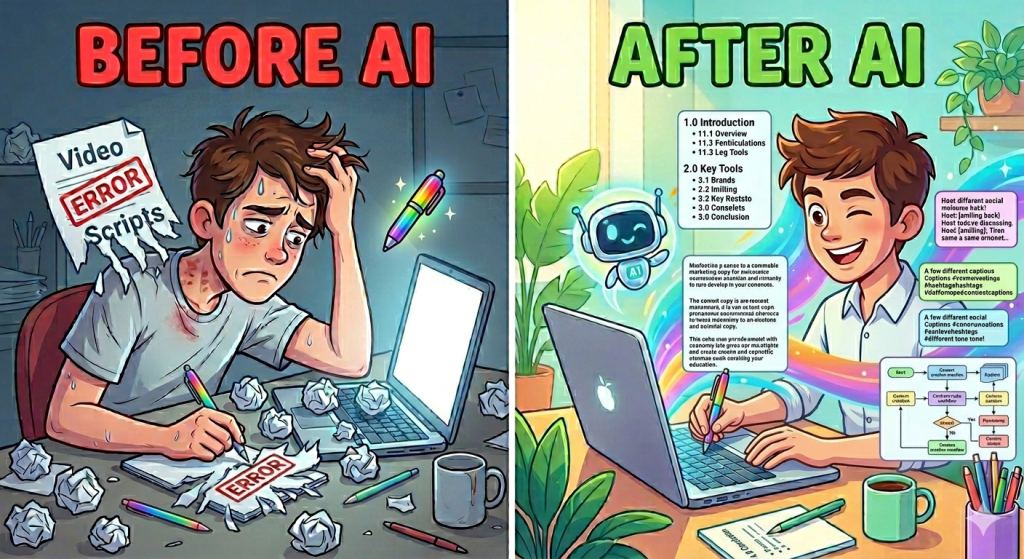
4️⃣ AI for Image Generation
Create stunning visuals without any design training. Here are the best image generators for beginners.
🖼️ Best for Beginners: ChatGPT (GPT-4o Image Generation)
Yes, ChatGPT does images too! With the GPT-4o model, you can generate, edit, and iterate images directly in chat using simple descriptions. Type “Generate a photorealistic cat wearing a spacesuit” and see the result instantly.
🎨 Best for Artistic Quality: Midjourney
If you want dreamlike, highly stylized art, Midjourney is the gold standard. Slight learning curve: you’ll need Discord to use it. Paid plans start at $10/month.
🏢 Best for Professional Design: Adobe Firefly
Built directly into Photoshop and Creative Cloud, Firefly is perfect for photo editing, background removal, and text effects. Its outputs are commercially safe.
🆓 Best Free Options
- Google Gemini (“Nano Banana”): Free, surprisingly good for object removal and photo expansion
- Canva Magic Media: Integrated into Canva’s free design suite
- Meta AI: Available in WhatsApp and Instagram with decent quality

5️⃣ AI for Video Creation
Video is everywhere, and AI now makes it accessible to everyone.
🎬 Most Accessible: Runway
Runway’s Gen-3 Alpha model offers visual control (camera angles, emotions, styles). Its standout “Act One” feature transfers real-world performances into AI characters. Has a free tier for testing.
🌟 Most Hyped: OpenAI Sora
Sora turns text prompts into short, visually stunning clips with cohesive lighting and scene transitions. Available via ChatGPT Plus ($20/month).
🤖 Best for Text-to-Short-Video: Google Veo 3
Generates up to 8 seconds of photorealistic video from a text prompt. Perfect for social media and pitches. Available in 73 countries.
🎥 Best for Content Repurposing: FlexClip & Pictory
- FlexClip: Like Canva for videos—drag, drop, done
- Pictory: Turns blog posts into engaging videos with one click

6️⃣ AI for Presentations & Slide Decks
Tired of formatting PowerPoint slides? AI can now build entire presentations in minutes.
⚡ Best for Quick Decks: Gamma
Gamma is the most intuitive dedicated AI presentation tool. Just paste your content, and Gamma designs beautiful slides instantly. Free tier available.
🏢 Best for Corporate Templates: Copilot for PowerPoint
The only tool that respects your existing brand template. Slides may need some editing, but it saves hours of structure work.
🔍 Best for Research-Heavy Decks: Genspark
A general AI agent that handles slide creation AND research. Produces solid content structure with research-backed points. Not great for heavy customization but excellent for first drafts.
🎨 Best for Creatives: Canva Magic Design & Beautiful.ai
If you already use Canva, its Magic Design AI generates complete presentations in your brand style. Beautiful.ai is another favorite for automatically applying design principles.

AI for Coding & Web Development (No Experience Required!)
Yes, you can build real apps and websites without writing a single line of code. Welcome to “vibe coding” —describing what you want in plain English.
🚀 Best for Beginners: ChatGPT
ChatGPT can generate complete HTML, CSS, and JavaScript snippets. Ask it to “create a to-do list web app with a purple gradient background” and it writes every line for you.
🤖 Best for Complete Projects: Replit AI
Replit is a cloud-based coding environment where AI helps you start new projects, collaborate, and deploy instantly. Perfect for beginners with zero setup.
🧠 Most Thoughtful: Claude
Claude is widely considered the best for explaining code step-by-step. It writes cleaner, better-commented code than ChatGPT for complex tasks.

I for Audio, Music & Voice
Bring sound to your projects with these easy-to-use AI audio tools.
🎵 Best for Music Generation: Suno AI
Suno turns text prompts into complete songs (vocals + instruments). Free tier available.
🔊 Best for Voiceover & Cloning: ElevenLabs
Industry-leading voice synthesis—generate natural narration from text. Free tier includes character limits.
🎙️ Best for Podcast Editing: Descript
Edit audio by editing text—remove filler words, add music, and clone your voice seamlessly.

AI for Productivity & Research
Stop wasting time on repetitive tasks. These tools are your personal productivity army.
📚 Best for Learning & Research: Google NotebookLM
Upload documents, PDFs, and web links; NotebookLM answers questions about your sources and even generates audio summaries you can listen to on the go.
🔎 Best for Fact-Checking: Perplexity
Search the live web with AI that cites every source. Never worry about hallucinations again. Free tier available.
📊 Best for Data & Spreadsheets: Julius
Connect Julius to your spreadsheets; ask questions in plain English like “Show me sales trends by region” and get charts and analysis instantly.
📝 Best All-in-One Workspace: Notion AI
Note-taking, project management, and AI writing all in one place. The free tier is quite generous.

Beginner’s Guide: How to Start Using AI Today
Follow this simple 4-step roadmap:
Step 1: Start with a single tool.
Open ChatGPT (it’s free) and ask a question you normally Google. Get comfortable with conversation-based AI.
Step 2: Master the art of prompting.
Be specific: “Write a funny Instagram caption about Monday mornings for a coffee shop” works better than “Write a caption.”
Step 3: Expand your toolkit.
Add Canva for design (free). Then Perplexity for research (free). Add Runway for video when you’re ready. Build gradually.
Step 4: Join the community.
Follow #AIForBeginners on social media. The AI tool landscape changes fast, and communities are the best way to stay updated.
⚖️ Responsible AI Use: Ethics Every Beginner Should Know
Using AI isn’t just about what you can do—it’s about what you should do. Here are three golden rules:
- Never input private information. Free AI tools may use your chats to improve their models. Don’t share passwords, financial data, or confidential documents.
- Always fact-check. AI can “hallucinate”—invent information confidently. Verify critical facts, especially for business or medical use.
- Use AI as a tool, not a replacement for your creativity. The best work combines AI efficiency with human insight. Don’t plagiarize; do use AI to overcome writer’s block.
Curious to learn more about using AI responsibly? Check out the Responsible AI movement’s guidelines for ethical AI use.
🔮 Future Trends: What’s Next for AI in 2026 and Beyond
Here’s what’s coming:
- Agentic AI: Tools that don’t just respond but reason, plan, and execute multi-step tasks autonomously.
- On-device AI: More processing happens on your phone, not the cloud—faster and more private.
- Multimodal everything: AI that seamlessly blends text, image, audio, and video in one interface.
The best time to start learning AI was last year. The second best time is today.
🏁 Conclusion: Your AI-Powered Future Starts Now
You’ve just explored over 30 beginner-friendly AI tools across 10+ categories—all with free or affordable entry points. From writing and research to design and coding, AI is no longer a luxury for tech experts. It’s a fundamental skill for anyone who wants to work smarter, create faster, and stay competitive.
Your immediate action plan:
- Sign up for ChatGPT (free at chat.openai.com)
- Try one writing task: draft an email or brainstorm blog ideas
- Experiment with one creative task: generate an image or build a presentation
- Bookmark this guide and revisit as you explore new tools
The AI revolution is here, and the only wrong move is not starting at all. Pick one tool, try it today, and watch your productivity soar.
Found this guide helpful? Share it with a friend who’s ready to start their AI journey. Bookmark b2blogs.com for more in-depth tutorials, tool comparisons, and AI strategy insights. Have questions or tool recommendations? Drop a comment below—we read every one.
Written by the b2blogs.com Team.
Last updated: June 2026. Tool availability and pricing subject to change.
📊 Quick Comparison Table: Top 10 Beginner AI Tools
| Category | Tool | Free Tier | Best For |
|---|---|---|---|
| 🧠 All-Purpose | ChatGPT | ✅ Yes | Everything—start here |
| ✍️ Writing | Writesonic | Limited | SEO content & blogs |
| 🖼️ Images | ChatGPT (GPT-4o) | ✅ Yes | Quick generation + editing |
| 🎬 Video | Runway | ✅ Yes | Text-to-video with controls |
| 📊 Presentations | Gamma | ✅ Yes | Beautiful slides from text |
| 🎵 Music | Suno AI | ✅ Yes | Generate songs from prompts |
| 💻 Coding | Replit AI | ✅ Yes | Build apps with zero setup |
| 🔬 Research | Perplexity | ✅ Yes | Cited answers from the web |
| 📝 Note-Taking | Notion AI | ✅ Yes | All-in-one workspace |
| 🖌️ Design | Canva Magic | ✅ Yes | Social graphics + images |


